NightWing Enterprises — Demo for FileMaker Pro™
|
Transactional Logging of All Data Changes!
|
UltraLog v1.0
 For the FileMaker Platform
(works in all versions from 8.x to 13.x)
As a courtesy to fellow developers and potential clients, the
following demonstration file is provided for free download.
|
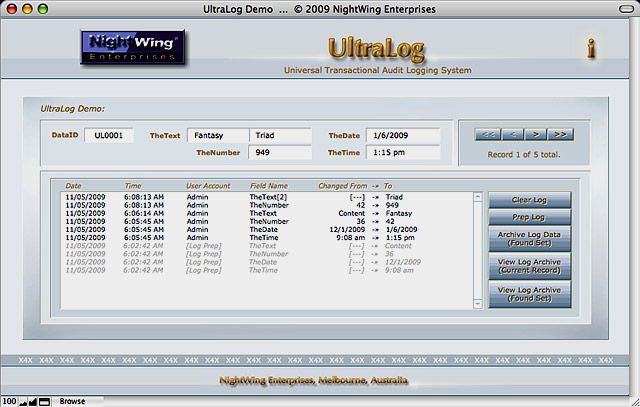
If you are familiar with our previous demos of logging techniques you may be wondering what makes this one new and different. This logging system captures *all* changes to data, regardless of how they are made (including changes made by script, via IWP, xDBC, CWP and so on)! Moreover the UltraLog system operates transactionally - it doesn't log anything until the record is committed (or submitted in the case of web transactions) and then it logs changes since the last commit.
Equally important, UltraLog is one of the simplest audit logging systems to implement. Change logging requires one Custom Function* and one auto-enter field per table (plus a modification timestamp field that you likely already have). Additionally, this demo includes a script for periodically archiving logged changes to a separate table, where they can be searched, summarized or printed.
Although FileMaker Pro 10 (or later) is recommended** for this demo (for optimal features and performance), the technique can be implemented in versions 8.x and 9 - and can operate in multi-user solutions with a mix of client versions from 8 to 10 installed. The technique is fully native, requiring no plug-ins or third party applications.
As with our previous logging systems, UltraLog allows you to specify a subset of fields to be logged (you supply a return-delimited list of the names of fields you want included in the logs, as one of the parameters of the UltraLog( ) Custom Function). This system can even log changes to calculation fields, whether stored or unstored (though the log will only capture changes that result from modification of the current record).
While UltraLog owes a share of its heritage to our previous "SuperLog" system, this new implementation is more compact, more powerful and more versatile.
This demo file is unlocked and password-free, compliments of NightWing Enterprises. The use of this technique is free for private and educational purposes. Use for business or commercial applications is subject to license*** (options, pricing and terms are available here, or you can access the online registration page directly).
|
*
|
To install Custom Functions in your solution file(s), you will require access to a copy of FileMaker Pro Advanced.
|
|
**
|
We're pleased to announce the release of UltraLog v2.0, which is enhanced and optimised for FileMaker 13 (and later). UltraLog v2.0 is a free upgrade for paid licensees of the UltraLog system.
|
|
***
|
Registered users of the UltraLog system are provided with access to the latest revision of UltraLog v1.0, plus additional resources including an advanced UltraLog Pro demo which features alternative code and implementation techniques and an additional custom function to automate retrieval of the names of data fields by table.
|
|
|
Please note that UltraLog v1.0 is available to licensed users of v 2.x or later.
To access a demo of the UltraLog system, please visit the download page
for the current release (v2.x) at:
UltraLog System v2.x Demo Download
|
|
NB: Use of the code and techniques shown in this demo is free for private and
educational purposes and
may be licensed for commercial and business applications. Should you require assistance implementing
procedures such as those shown in the
example file, please consider establishing an
account with us for developer support.
|
|